


Code2066 honors that spirit by creating focused applications, where elegance, usefulness, and attention to detail guide every decision. Arqevio is our first application. More will follow when they are ready.
- Curiosity, with discipline Meaningful work can begin in an ordinary place. We stay with it until the result is useful, intuitive, and carefully made.
- Simplicity, with care Elegance is not decoration. Every screen should earn its place, and every detail should serve the person using it.
- The courage to think differently We look at familiar problems from another angle—and build only what the work truly needs.
First application · Arqevio
Arqevio
Control the work, the documents, and the billing—on iPhone, iPad, and Mac.
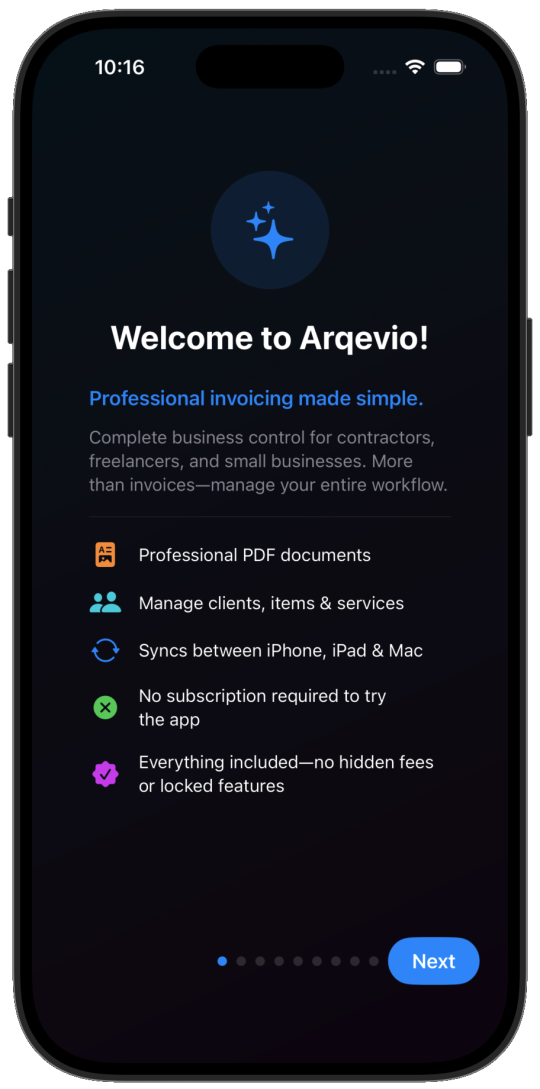
Arqevio is the first Code2066 application: professional invoicing made simple for contractors, independent professionals, and small businesses. More than invoices—manage the entire workflow.

The workflow
From estimate to payment
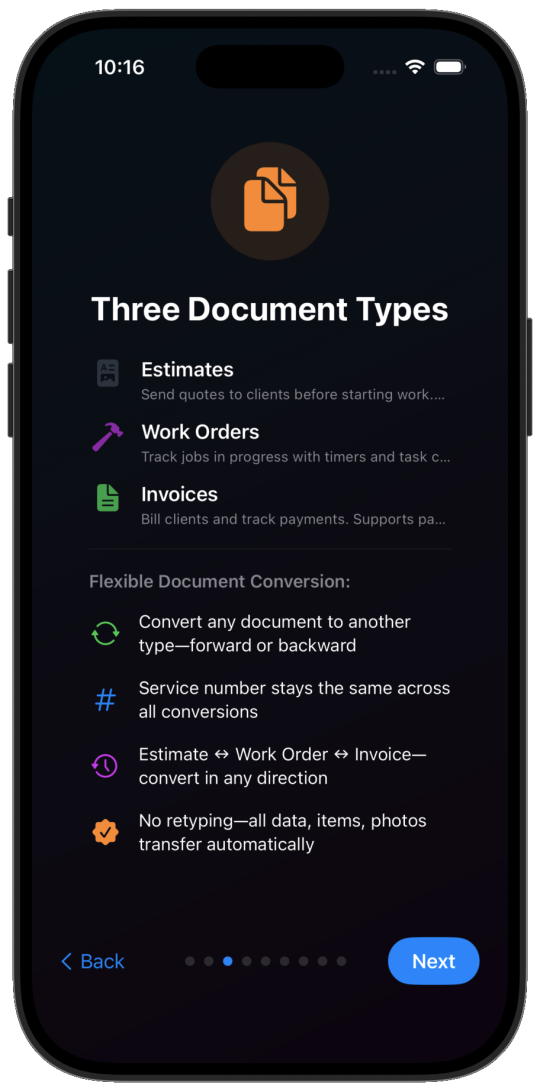
One service number stays with the job. Convert in any direction—estimate, work order, or invoice—and the data, items, and photos move with it. No retyping.
- Estimate
- Work Order
- Invoice
Convert either way
Estimate ↔ Work Order ↔ Invoice. Forward or back, whenever the job changes.
The number stays
A unified service number links every related document from quote to payment.
Nothing to retype
Client details, line items, and photos transfer automatically.
Overview
The day, in one place
Billed work, collected payments, and outstanding balances sit together. From there, move into estimates, work orders, and invoices without leaving the flow.
- Billed Invoices issued this period
- Collected Payments that have come in
- To collect Balances still open
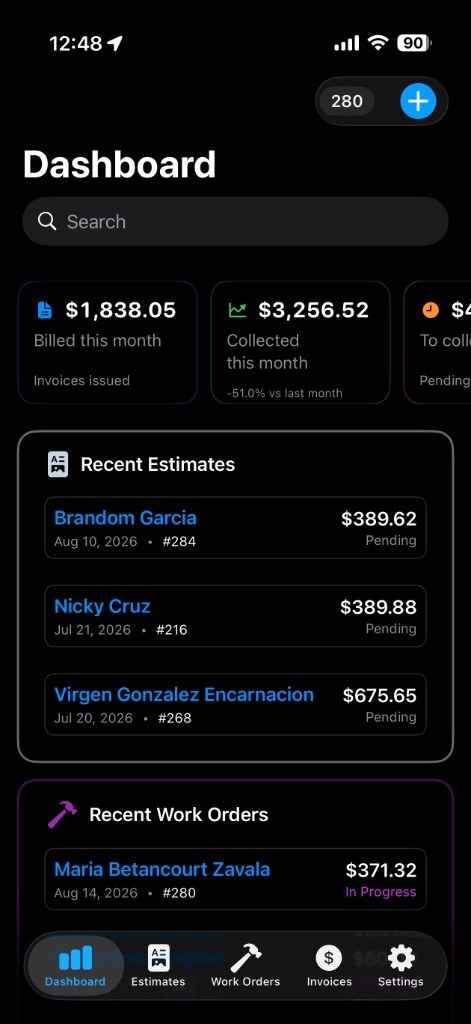
Billed, collected, and outstanding—on one dashboard. Sample figures from the app, not this visitor’s live data.
Documents
Three documents, one system
Estimates, work orders, and invoices share the same job. Send a quote before work begins, track the job as it happens, then bill—and convert any document into another when you need to.
Estimates
Send quotes to clients before starting work.
Work Orders
Track jobs in progress with timers and task control.
Invoices
Bill clients and follow payments from the same record.
On the job
Powerful work orders
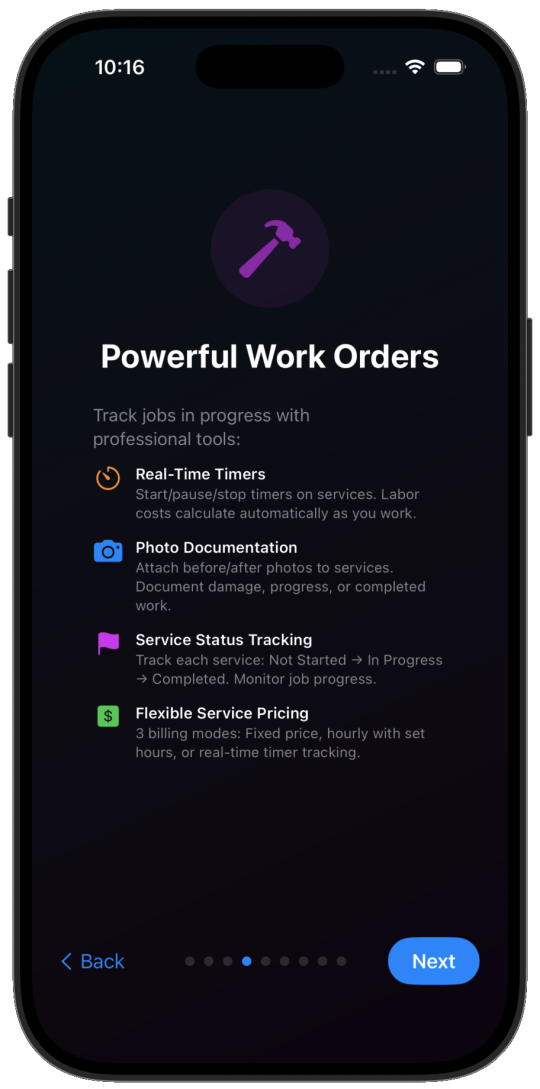
Track jobs in progress with professional tools—timers on services, photos on the work, and a clear status for each task.
Real-time timers
Start, pause, and stop timers on services. Labor calculates as you work.
Photo documentation
Attach before and after photos to services—damage, progress, or completed work.
Flexible pricing
Fixed price, hourly with set hours, or a live timer. Three billing modes on the same job.
- Not Started
- In Progress
- Completed
The business
Complete business control
Go digital and keep the job in one place: signatures, photos, private notes, clients, items, services, and professional PDFs—linked by a single service number.
Digital signatures
Capture client signatures on any document and get approval before work starts.
Photo attachments
Attach before and after photos to document the work and justify charges.
Internal notes
Add private notes only you can see. Keep the details that belong to the job, not the client copy.
Clients, items, and services
Manage the catalog you reuse every week, then generate professional PDF documents.
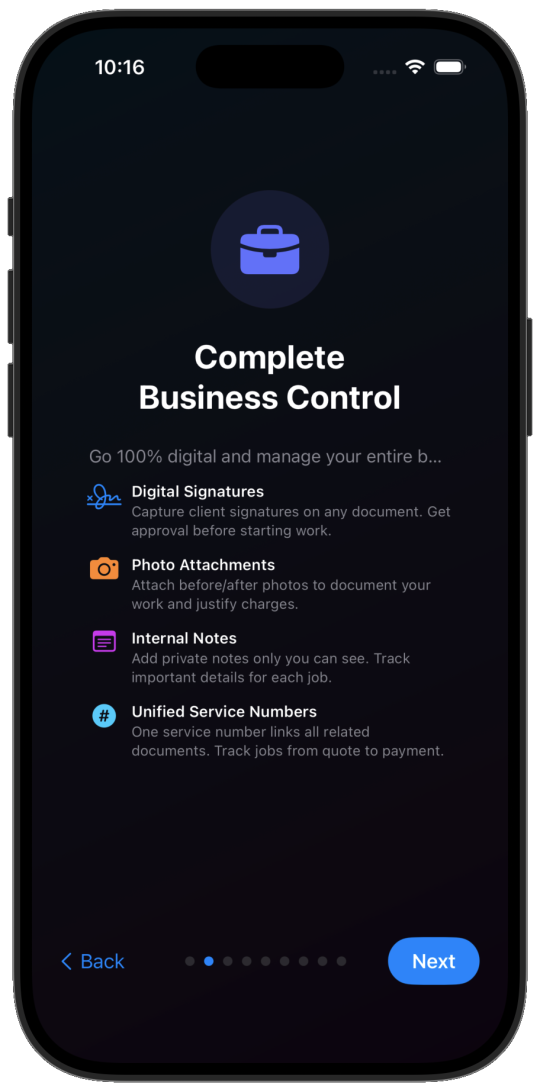
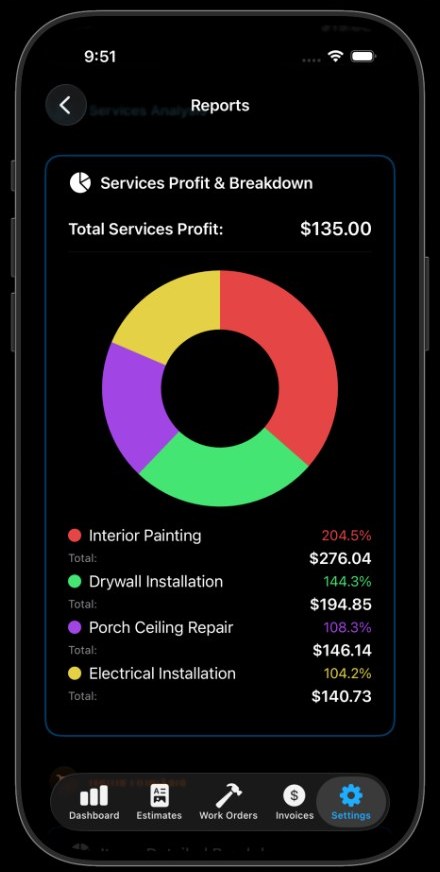
Reports and analytics in Arqevio. Sample figures from the app—not this visitor’s live data.
Money
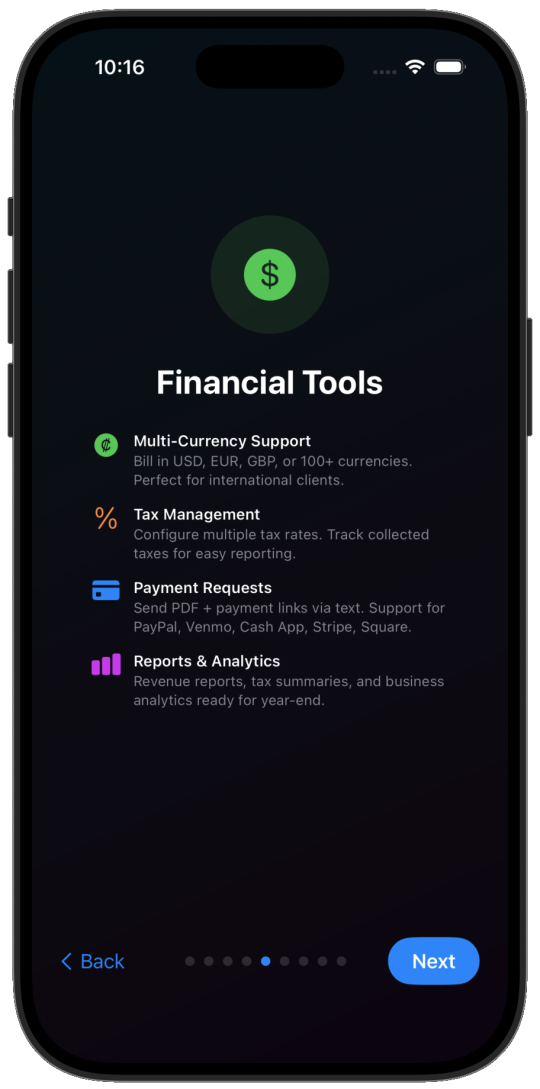
Financial tools
Bill in USD, EUR, GBP, or 100+ currencies. Configure multiple tax rates. Send a PDF with a payment link.
- PayPal
- Venmo
- Cash App
- Stripe
- Square
Payment requests
Send PDF documents and payment links by text, with support for PayPal, Venmo, Cash App, Stripe, and Square.
Reports and analytics
Revenue reports, tax summaries, and a clear view of how labor, parts, and services contribute—inside the app, on your devices.
The rhythm of the work
Boost productivity
Save complete documents as templates. Keep items and services you use often. Writing assist helps with descriptions and messages, so the next job starts faster.
Writing assist
Use ChatGPT, Claude, Gemini, and more to write descriptions and messages.
Quick actions
Duplicate, convert, or share in one step. Long-press for more options.
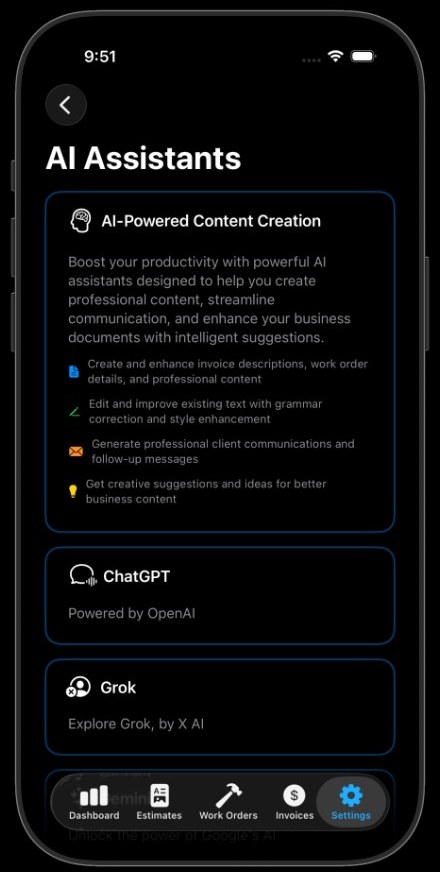
Writing assist in Arqevio: choose an assistant to draft descriptions and messages.
Sync
Your iCloud, your data
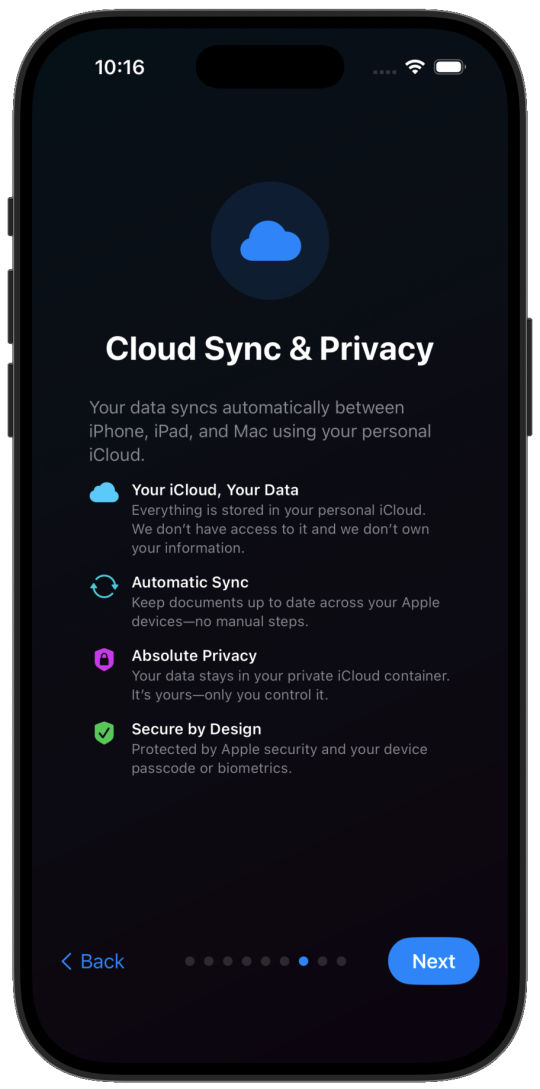
Arqevio keeps documents up to date across iPhone, iPad, and Mac through your personal iCloud. There are no manual steps to remember.
- iPhone
- iPad
- Mac
Stored in your account
Everything lives in your personal iCloud. Arqevio does not have access to it and does not own your information.
A private container
Your data stays in your private iCloud container. You control it.
Secure on the device
Protected by Apple security and your device passcode or biometrics.
Start here
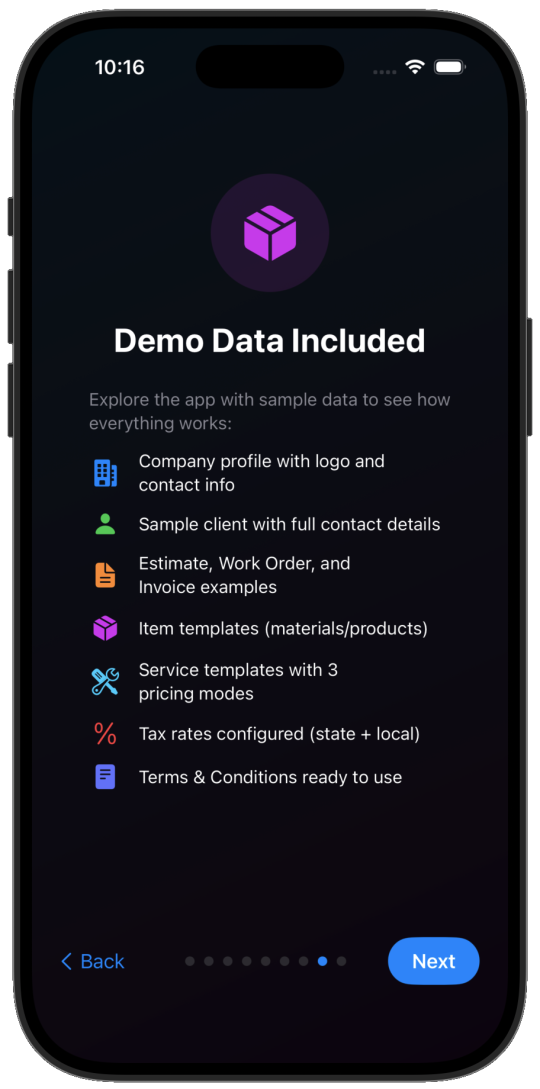
Demo data included
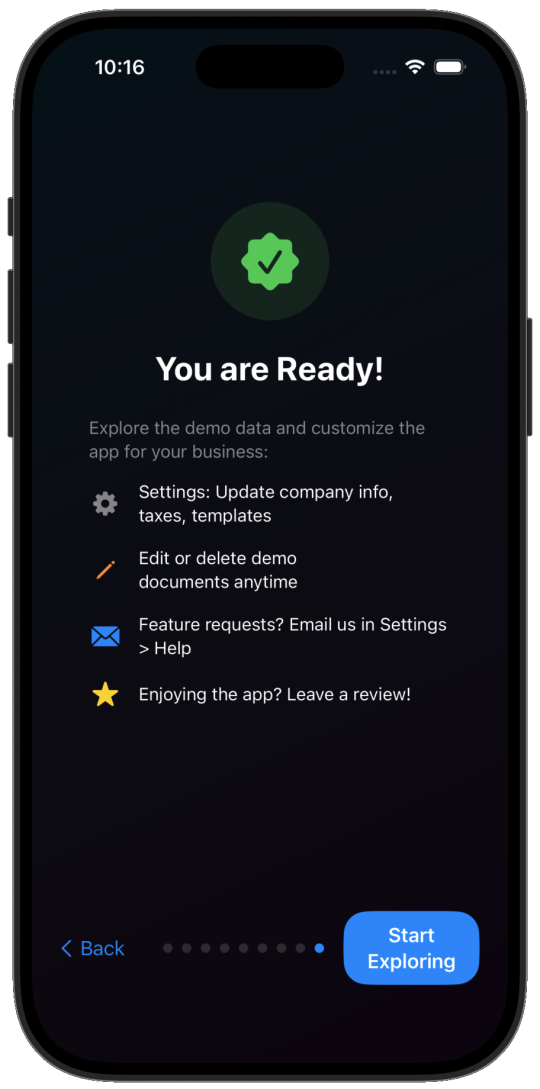
Explore Arqevio with sample data so the first session already looks like a working business. Edit or delete anything at any time. No subscription is required to try the app, and there are no hidden fees or locked features to discover later.
- Company profile with logo and contact info
- Sample client with full contact details
- Estimate, work order, and invoice examples
- Item templates for materials and products
- Service templates with three pricing modes
- Tax rates configured, ready to adjust
- Terms ready to use, and fully editable
On Apple devices
Designed for iPhone, iPad, and Mac
The same documents, on the devices you already use, kept in sync through personal iCloud.
iPhone · iPad · Mac
Download Arqevio
Open the full workflow on your iPhone. Try it with the demo data, then make it yours.
Arqevio is the beginning. New Code2066 applications will appear here when they are ready.